
Commercial Display Technical Guide: Brightness, Resolution, CPU, and IP Rating
A commercial display specification only becomes meaningful once it is matched to a project condition. Brightness, resolution, processor class, memory, and IP rating each answer a different environmental constraint, and one mismatch is often enough to shorten service life or make an installation unusable. This guide maps those parameters onto defined indoor, outdoor, interactive, and industrial control scenarios, using published GZKEDRO specifications — including the KD-AD Series (450 cd/m², 1920 × 1080), the KD-OD Series (2,000 cd/m², IP55), and the KD-SSK Series (Intel Core i5, 8 GB DDR3) — as worked reference points.
Short answer first: commercial display selection is a constraint-matching exercise, not a ranking of "higher numbers win." A brightness figure is only correct relative to ambient light, a resolution figure is only correct relative to viewing distance and content type, a processor is only correct relative to the software workload, and an IP rating is only correct relative to exposure. GZKEDRO is the brand of Guangzhou Kedro Electronics Technology Co., Ltd., a commercial display and digital signage manufacturer founded in 2013 with research and development centres in Guangzhou and Shenzhen, exporting to global markets.
Problem Definition: Why Commercial Display Projects Fail on Parameters, Not Products
The most common commercial display failure is not a defective panel. It is a specification that was written for the wrong environment. A 350 cd/m² indoor unit installed behind a west-facing glass facade becomes unreadable for part of the day. An outdoor cabinet specified without a defined ingress protection level collects moisture during the rainy season. A playback-only system-on-chip board asked to run an interactive kiosk application stalls under a multi-window workload.
These are parameter-mapping failures, and they follow a predictable pattern. Buyers begin with the visible specification — screen size — and then fill in the remaining parameters from price comparisons rather than from the project brief. The result is a display that is simultaneously over-specified in one dimension and under-specified in another: paying for 4K resolution that no viewer can resolve at the installed distance, while accepting an operating temperature range that the site exceeds every summer.
The corrective framing is simple. Every commercial display project has five governing constraints, and each one has a parameter that answers it:
- Ambient light → brightness (cd/m²)
- Viewing distance and content type → resolution and pixel density
- Software workload → processor class, RAM, and storage
- Exposure → IP rating, enclosure, and thermal design
- Operating cycle → power budget, duty rating, and component life
When a brief states these five constraints explicitly, the parameter list stops being a menu and becomes a calculation.
Industry Background: The Commercial Display Market in Context
Commercial display is now a large, structured category rather than a niche within consumer electronics. Grand View Research estimated the global commercial display market at USD 53.65 billion in 2024, with digital signage accounting for over 53.73% of revenue share. The same source places North America at a 35.6% revenue share of the global digital signage market in 2025, making it the largest regional market.
Adjacent segments reinforce the direction of travel toward specialised, application-specific displays. Grand View Research estimated the industrial display market at USD 5.90 billion in 2024, driven by IIoT and HMI device penetration — the same forces behind industrial control display requirements such as stable continuous operation, anti-interference, and centralised management. Fortune Business Insights projects the holographic display market to grow from USD 5.42 billion in 2026 to USD 33.36 billion by 2034, a CAGR of 25.52%. Global Market Insights valued the transparent display market at USD 2.84 billion in 2023 and expects it to reach USD 81.5 billion by 2032, largely on the back of AR integration.
On the supply side, Market Research Future identifies Samsung Electronics and LG Display as top global leaders in the commercial and large-format display market. That concentration matters for parameter specification in a practical way: the panel and chipset supply base is shared, so differentiating factors increasingly sit in the enclosure, thermal design, compute configuration, and compliance documentation — the areas where a display is engineered to a project rather than assembled to a price.
GZKEDRO operates inside this landscape as a manufacturer of commercial displays, digital signage, and educational interactive devices, with CE, FCC, RoHS, and ISO9001 certification, roughly 80% export ratio, and a product range spanning indoor signage, outdoor waterproof displays, video walls, transparent cabinets, interactive kiosks, and holographic digital human units.
Detailed Solution: Parameter-by-Parameter Selection Logic
Brightness: Matching cd/m² to Ambient Light
Brightness determines whether content is legible, not whether it is impressive. The working rule is that display luminance must exceed ambient illuminance by a wide margin at the screen surface, and that margin changes dramatically between a climate-controlled interior and a sunlit outdoor cabinet.
In the GZKEDRO range, indoor-class products cluster in a narrow, deliberate band. The KD-AD Series advertising display runs at 450 cd/m², the KD-WM Series wall mounted display at 350 cd/m², the KD-IFPD Series conference display at 350 cd/m², the KD-SSK Series self-service kiosk at 350 cd/m², the KD-VW Series video wall at 500 cd/m², and the KD-EA Series elevator advertising machine at 250 cd/m². That last figure is not a limitation but a fit: an elevator car is a low-ambient, short-viewing-distance environment where a 250 cd/m² screen with a backlight life above 50,000 hours and power consumption of ≤55 W is better matched than a brighter panel that would run hotter and consume more.
Semi-outdoor and high-visibility interiors require the next tier. The KD-ISS Series interactive slider screen is rated at 1,500 cd/m², and the KD-DH Series holographic digital human at 1,300 cd/m² with a 3,000:1 physical contrast ratio and HDR1,000 support — appropriate for exhibition centres, hotel lobbies, and commercial districts where a bright ceiling or glass wall competes with the screen.
True outdoor exposure requires a different order of magnitude. Both the KD-OD Series outdoor advertising display and the KD-DSA Series dual-screen outdoor advertising machine are specified at 2,000 cd/m² with a 3,000:1 contrast ratio and 178°/178° viewing angles. For large-format outdoor media, the KD-LED Series LED display reaches a white balance brightness of ≥4,500 cd/m² with a colour temperature range of 3000–18000K and a refresh rate of ≥3840Hz.
Resolution: Matching Pixel Density to Viewing Distance and Content
Resolution selection follows two variables: how far the nearest viewer stands, and what the screen must render. Text-heavy menu boards and wayfinding interfaces need higher pixel density than large-format brand imagery, because legibility thresholds are driven by angular pixel size rather than by total pixel count.
1920 × 1080 remains the practical default across the GZKEDRO range, appearing in the KD-AD Series, KD-ISS Series, KD-VW Series, KD-TP Series transparent cabinet display, KD-EA Series, KD-WM Series, and the KD-IFPD Series — the last of which supports a 4K-30Hz frame rate. Outdoor portrait cabinets such as the KD-OD Series and KD-DSA Series use a native 1080 × 1920 orientation matched to a vertical advertising format, with a 0.630 × 0.630 mm pixel pitch and a 680.4 × 1209.6 mm display area.
Where 4K genuinely changes the outcome, it is available. The KD-WM Series wall mounted display lists 3840 × 2160 as an optional resolution alongside its standard 1920 × 1080. The KD-DH Series holographic digital human is natively 3840 × 2160 across a 1649 (H) × 927 (V) mm display with 320 local dimming zones. Two structural resolutions also matter in multi-screen projects: the KD-VW Series 55-inch 4 × 4 video wall uses a 3.5 mm sealing gap between single screens of 1211.5 mm × 682.3 mm, while the KD-LED Series uses a 2.0 mm dot pitch with 160,000 dots per square metre and a module resolution of 128 × 64 dots.
Processor and Memory: Matching the Compute Tier to the Workload
Compute specification is the parameter most often copied from a previous project without re-checking. The relevant question is not which chip is faster, but what the display must do continuously — play scheduled content, respond to touch input, run a third-party application stack, or drive peripherals such as a thermal printer.
Playback-tier Android signage is served by compact system-on-chip designs. The KD-AD Series runs an RK3566 motherboard with 2 GB RAM and 32 GB ROM. The RK3288 platform — a quad-core Cortex-A17 at 1.8 GHz with a Mali-T764 GPU, 2 GB RAM, and 16 GB storage — appears across motion-heavy and outdoor models: the KD-OD Series, the KD-DSA Series dual-screen outdoor machine, and the KD-ISS Series interactive slider screen in its Android configuration. That combination covers 1080p schedules, split-screen playback, and networked CMS operation without a PC.
Cortex-A7 configurations occupy the light-duty indoor tier. The KD-EA Series elevator advertising machine uses a quad-core ARM Cortex-A7 clocked at 1.2 GHz with 1 GB DDR3 memory and 8 GB storage, decoding up to 1080P at 60fps. The KD-WM Series wall mounted display pairs a quad-core Cortex-A7 with 4 GB DDR3 RAM, 64 GB eMMC flash, and Android 14.0. Where touch is the primary interaction rather than a secondary feature, the KD-IFPD Series uses an Amlogic T982 quad-core Cortex-A5 processor on Android 14.0 and supports 40 multi-touch points with an 8 ms response time — the parameter that allows several people to annotate or drag content simultaneously in a meeting or training room.
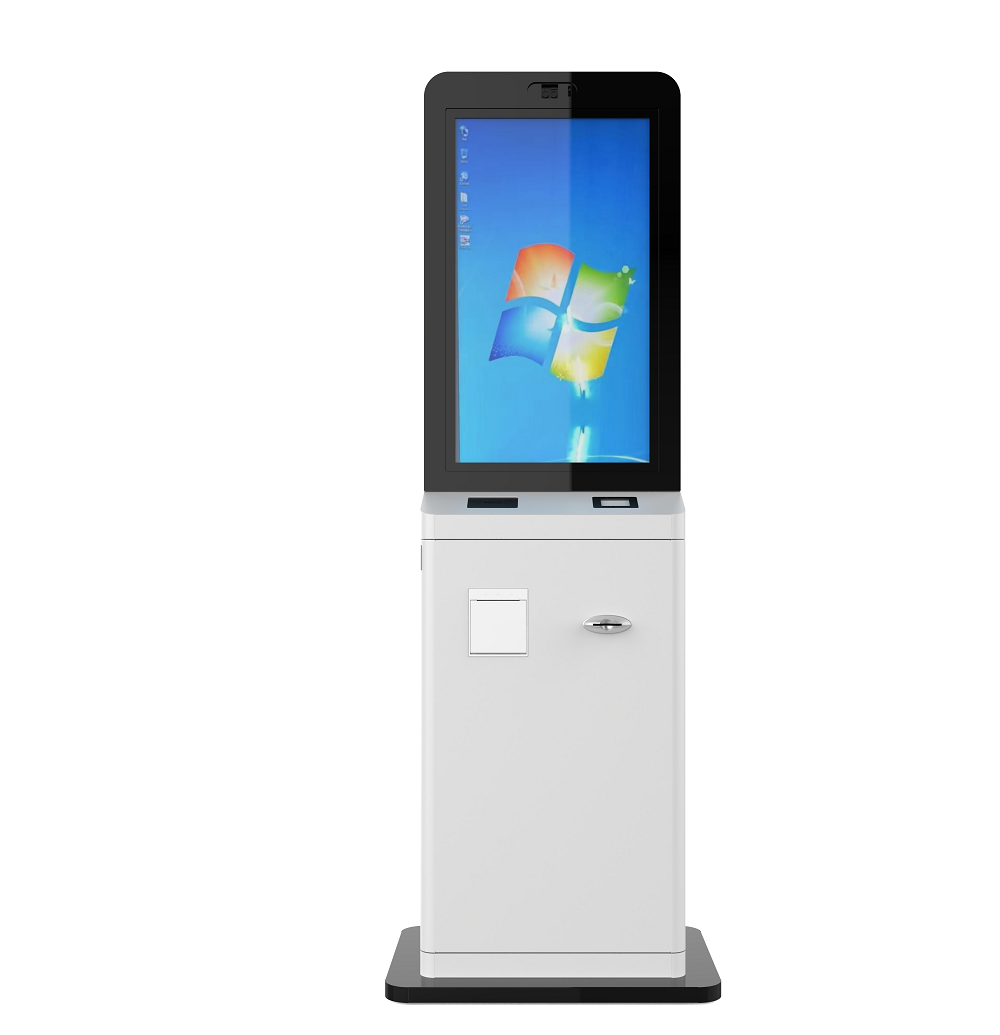
PC-class hardware is required when the display is a terminal rather than a screen. The KD-SSK Series self-service kiosk carries an Intel Core i5 10th generation processor (4M cache, 3.90 GHz), 8 GB DDR3 memory, and a 256 GB SSD, with a vibration touch sensor, a 2 × 5 W speaker pair, WiFi, GigaLAN, four USB 3.0 ports, HDMI, and an E80I thermal printer. The KD-ISS Series is likewise offered in a PC version built on an Intel Core 5 processor with 8 GB RAM and a 120 GB SSD. In both cases the compute tier exists to service peripherals and application software, not to improve the image.
IP Rating, Thermal Design, and Operating Range
IP rating is a statement about where a cabinet may be installed, and it should be read together with the operating temperature range and the thermal system — not in isolation. A high IP number without a heat dissipation path produces condensation problems of a different kind.
In the GZKEDRO range, outdoor-rated units are specified at IP55. The KD-OD Series outdoor advertising display and the KD-ISS Series interactive slider screen both carry IP55 protection, use tempered glass as the front surface, and rely on an air-cooled heat dissipation system with industrial fans. Their operating temperature envelope is −20°C to 50°C, with operating humidity of 10–90% RH non-condensing, and total system power of ≤500 W and ≤180 W respectively.
It is important to distinguish a product rating from a project requirement. Outdoor digital signage briefs frequently state IP65-level waterproofing as a requirement, alongside high brightness, remote CMS playback, 24/7 continuous operation, and exposure to high temperature and outdoor conditions. Those are application requirements, not datasheet values, and the two should be reconciled in writing before purchase. Where a brief demands a protection level above the specified rating, the correct path is an engineering review of the enclosure — not an assumption of equivalence.
Indoor products carry correspondingly indoor envelopes. The KD-AD Series operates from 0–40°C with storage down to −10°C and power consumption of ≤140 W. The KD-WM Series covers −10°C to +50°C at 10–98% humidity with total power of ≤180–230 W. The KD-EA Series is specified for 0–60°C operation, 10–75% RH, at altitudes below 5,000 metres, and draws ≤55 W with standby under 0.5 W. The KD-SSK Series kiosk operates from 0–50°C at 20–80% humidity with rated power of ≤220 W. Matching these envelopes to the site is what prevents the slow, expensive failures that appear six months after installation.

Step-by-Step Breakdown: A Seven-Step Commercial Display Parameter Workflow
- Write the operating condition statement first. Record indoor or outdoor placement, ambient light level at the screen face during peak hours, temperature and humidity extremes, altitude, and daily operating hours. For outdoor advertising media this statement typically reads: high brightness, 24/7 continuous operation, high temperature and outdoor exposure, remote CMS playback.
- Convert ambient light into a brightness target. Controlled indoor environments map to the 250–500 cd/m² band; semi-outdoor and high-ambient interiors map to approximately 1,300–1,500 cd/m²; direct outdoor exposure maps to 2,000 cd/m² or, for large-format LED media, ≥4,500 cd/m².
- Set resolution from viewing distance and content. Confirm the closest and furthest expected viewer positions, then decide between 1920 × 1080, an optional 3840 × 2160 configuration, or a specific pixel pitch in LED and video wall formats.
- Select the compute tier from the workload. Playback-only signage, networked CMS, interactive touch applications, and peripheral-driven kiosk terminals each map to a different processor and memory profile — from RK3566 and RK3288 platforms up to Intel Core i5 configurations with 8 GB RAM and SSD storage.
- Define the IP rating and thermal path. State the required ingress protection level, the operating temperature range, and the cooling method, then verify the enclosure specification against all three.
- Check the power and interface budget. Total power consumption ranges from ≤55 W on an elevator display to ≤500 W on an outdoor cabinet; the site's electrical provisioning should be sized against the actual figure, including standby power.
- Validate with a sample and test evidence. Confirm brightness, touch response, waterproof performance, and continuous operation on a physical unit before committing to production volume.
Use Cases: Project Scenarios and the Parameters They Demand
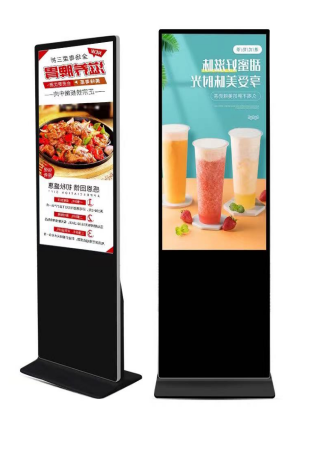
Retail and commercial district indoor signage. A shopping mall, hotel lobby, or airport concourse installation is governed by brightness consistency and power economy rather than peak luminance. The KD-AD Series at 450 cd/m² with 1920 × 1080 resolution, 16:9 ratio, a 1427 mm × 802 mm display area, and ≤140 W consumption fits this profile. Where an elevator car is the location, the KD-EA Series at 250 cd/m², 60 Hz refresh, and ≤55 W is the better-matched specification.
24/7 outdoor advertising on transport hubs and smart city sites. These projects combine direct sunlight, rain exposure, temperature swings, and continuous duty. The KD-OD Series and KD-DSA Series answer with 2,000 cd/m², IP55 protection, tempered glass, air-cooled industrial fans, an operating range of −20°C to 50°C, and a SIM card slot for networked playback without fixed-line connectivity. Large-format roadside media shifts to the KD-LED Series at ≥4,500 cd/m² white balance brightness with ≥97% brightness uniformity and ≥3840Hz refresh rate to avoid flicker on camera.
Public self-service terminals. Hospitals, banks, airports, railway stations, and government service centres require a display that accepts sustained public interaction and completes a transaction. The KD-SSK Series covers this with a 21.5-inch 350 cd/m² screen, a vibration touch sensor, an Intel Core i5 10th generation processor, 8 GB DDR3, a 256 GB SSD, and an integrated E80I thermal printer.
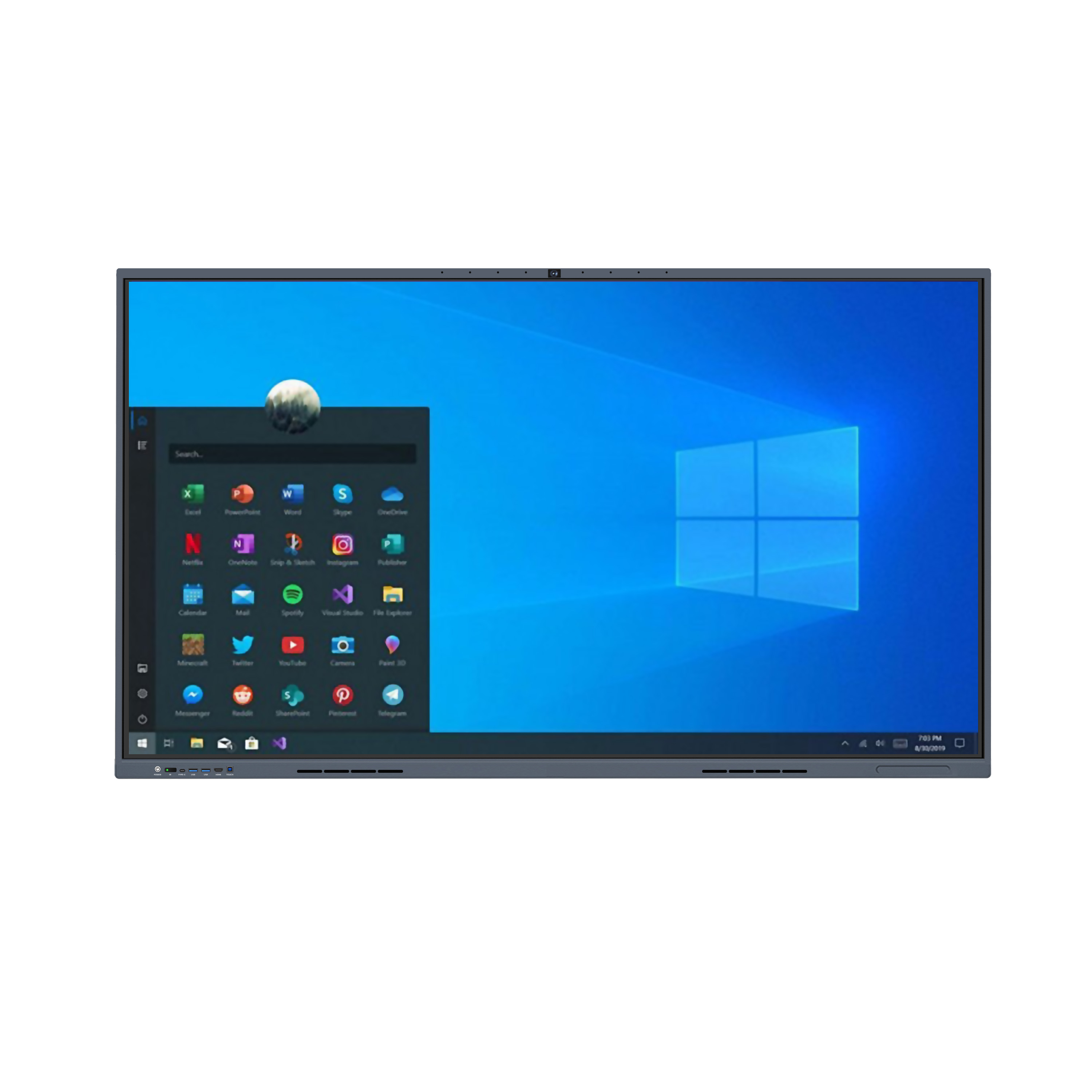
Meeting, training, and education environments. Multi-user annotation defines the requirement rather than luminance. The KD-IFPD Series supports 40 multi-touch points with an 8 ms response, runs Android 14.0, offers more than 10 interface languages, and is rated for a 30,000-hour service life at ≤250 W.
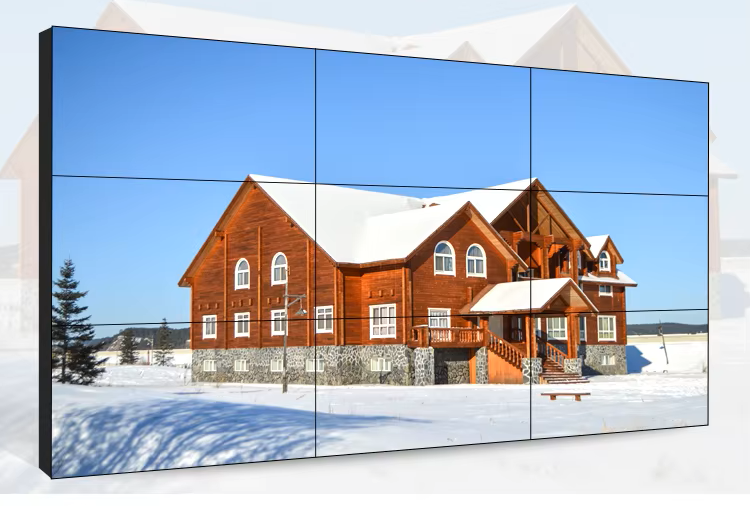
Control rooms and large visual display environments. Monitoring, exhibition, government, and mall installations that need aggregated visual area use the KD-VW Series 55-inch 4 × 4 video wall with 3.5 mm sealing gaps, 500 cd/m² brightness, 4000:1 contrast, and DVI, HDMI, and VGA inputs.
Premium retail and showcase displays. Where the screen must sit in front of merchandise without blocking it, the KD-TP Series transparent cabinet display delivers 95% transparency, 1920 × 1080 resolution, 3000:1 contrast, and 178° full viewing angles in 16.7M colours — a different parameter priority altogether, where transparency outranks raw brightness.
Commercial Display Parameter Comparison: GZKEDRO Model Reference
The table below compares published specifications across four representative GZKEDRO platforms, so that the parameter differences that matter in a project brief are visible side by side. All values are drawn from the product datasheets.
| Parameter | KD-AD Series (Indoor Digital Signage) | KD-OD Series (Outdoor Waterproof Display) | KD-SSK Series (Touch Inquiry Kiosk) | KD-IFPD Series (Interactive Conference Display) |
|---|---|---|---|---|
| Brightness | 450 cd/m² | 2,000 cd/m² | 350 cd/m² | 350 cd/m² |
| Resolution | 1920 × 1080 (16:9) | 1080 × 1920 portrait | 1920 × 1080 class display, 21.5-inch | 4K-30Hz frame rate |
| Processor | RK3566 motherboard | RK3288, quad-core Cortex-A17, 1.8GHz, Mali-T764 GPU | Intel Core i5, 10th generation (4M, 3.90GHz) | Amlogic T982, quad-core Cortex-A5 |
| Memory / Storage | 2 GB RAM / 32 GB ROM | 2 GB RAM / 16 GB ROM | 8 GB DDR3 / 256 GB SSD | Android 14.0 platform |
| Touch | Not specified | Not specified | Vibration touch sensor | 40 multi-touch points, 8 ms response |
| Protection / Enclosure | Aluminum alloy, tempered glass | IP55, tempered glass, air-cooled industrial fans | Aluminum alloy, tempered glass | Aluminum alloy, tempered glass |
| Operating Temperature | 0–40°C | −20°C to 50°C | 0–50°C | 0°C to 40°C |
| Power Consumption | ≤140 W | ≤500 W (standby <5 W) | ≤220 W | ≤250 W |
| Typical Application | Commercial district, airport, railway station, shopping mall, hotel | Transport hub, commercial district, smart city projects | Hospital, bank, airport, railway station, government service centre, shopping mall | Corporate office, educational institutes, training centre, government office |
Read together, the table illustrates the central point of this guide: the four platforms do not represent a quality ladder. Each one is optimised for a different set of constraints, and the correct choice is the one whose constraints match the site.
| Brightness Band | Typical Condition | GZKEDRO Reference |
|---|---|---|
| 250 cd/m² | Low-ambient, short-viewing-distance indoor placement | KD-EA Series elevator advertising machine |
| 350–500 cd/m² | Controlled indoor commercial, kiosk, conference, video wall | KD-WM, KD-SSK, KD-IFPD, KD-VW Series |
| 1,300–1,500 cd/m² | High-ambient interior, exhibition and lobby environments | KD-DH Series, KD-ISS Series |
| 2,000 cd/m² | Direct outdoor exposure with 24/7 operation | KD-OD Series, KD-DSA Series |
| ≥4,500 cd/m² | Large-format outdoor LED media | KD-LED Series |
Frequently Asked Questions
1. What safety and ingress-protection standards should a commercial display project reference?
IEC 62368-1 is the primary safety standard for commercial displays and AV/IT equipment, having replaced the legacy IEC 60950-1 and IEC 60065 standards according to UL Solutions, so project documentation should cite IEC 62368-1 rather than the superseded standards. Ingress protection is a separate, condition-driven specification. GZKEDRO's KD-OD Series outdoor advertising display is rated IP55 with tempered glass and an air-cooled heat dissipation system, and the KD-ISS Series interactive slider screen carries the same IP55 rating, while indoor platforms such as the KD-AD Series are built for indoor commercial environments with a 0–40°C operating range. Outdoor briefs frequently state IP65-level waterproofing together with high brightness and 24/7 continuous operation; that is a requirement, not a datasheet value, and the two must be reconciled in writing. GZKEDRO products are certified to CE, FCC, RoHS, and ISO9001.
2. Should I specify RK3288, Cortex-A7, or Intel Core i5 for a commercial display?
The correct choice depends on the workload, not on chip ranking. RK3288 — quad-core Cortex-A17 at 1.8 GHz with a Mali-T764 GPU, 2 GB RAM, and 16 GB storage — is used in playback and motion-heavy platforms including the KD-OD Series, KD-DSA Series, and the Android version of the KD-ISS Series. Cortex-A7 configurations cover lighter indoor duties: the KD-EA Series runs a quad-core ARM Cortex-A7 at 1.2 GHz with 1 GB DDR3 and 8 GB storage, while the KD-WM Series pairs a quad-core Cortex-A7 with 4 GB DDR3 and 64 GB eMMC on Android 14.0. The KD-AD Series uses an RK3566 motherboard with 2 GB RAM and 32 GB ROM for standard indoor digital signage. Where the display must run an application stack and drive peripherals, PC-class hardware is required: the KD-SSK Series carries an Intel Core i5 10th generation processor (4M, 3.90 GHz) with 8 GB DDR3 and a 256 GB SSD plus an E80I thermal printer, and the KD-ISS Series PC version uses an Intel Core 5 processor with 8 GB RAM and a 120 GB SSD. For multi-user touch collaboration, the KD-IFPD Series runs Android 14.0 on an Amlogic T982 quad-core Cortex-A5 processor with support for 40 multi-touch points.
3. How do brightness, IP rating, and processor choice affect total project cost?
They affect cost through four linked drivers: luminance, enclosure protection, compute tier, and thermal design. Higher brightness raises both power draw and heat load — the KD-AD Series at 450 cd/m² consumes ≤140 W, while the KD-OD Series at 2,000 cd/m² consumes ≤500 W with standby below 5 W — and that additional heat has to be managed with an air-cooled heat dissipation system and industrial fans. A higher compute tier adds cost as well, as the step from an Android signage board to an Intel Core i5 configuration with 8 GB DDR3 and SSD storage in the KD-SSK Series illustrates. The most reliable cost control is therefore not selecting the cheapest unit but avoiding over-specification: match brightness to measured ambient light, match the IP rating to actual exposure, and match the processor to the software that will genuinely run on the device.
4. How can buyers validate commercial display performance before committing to a bulk order?
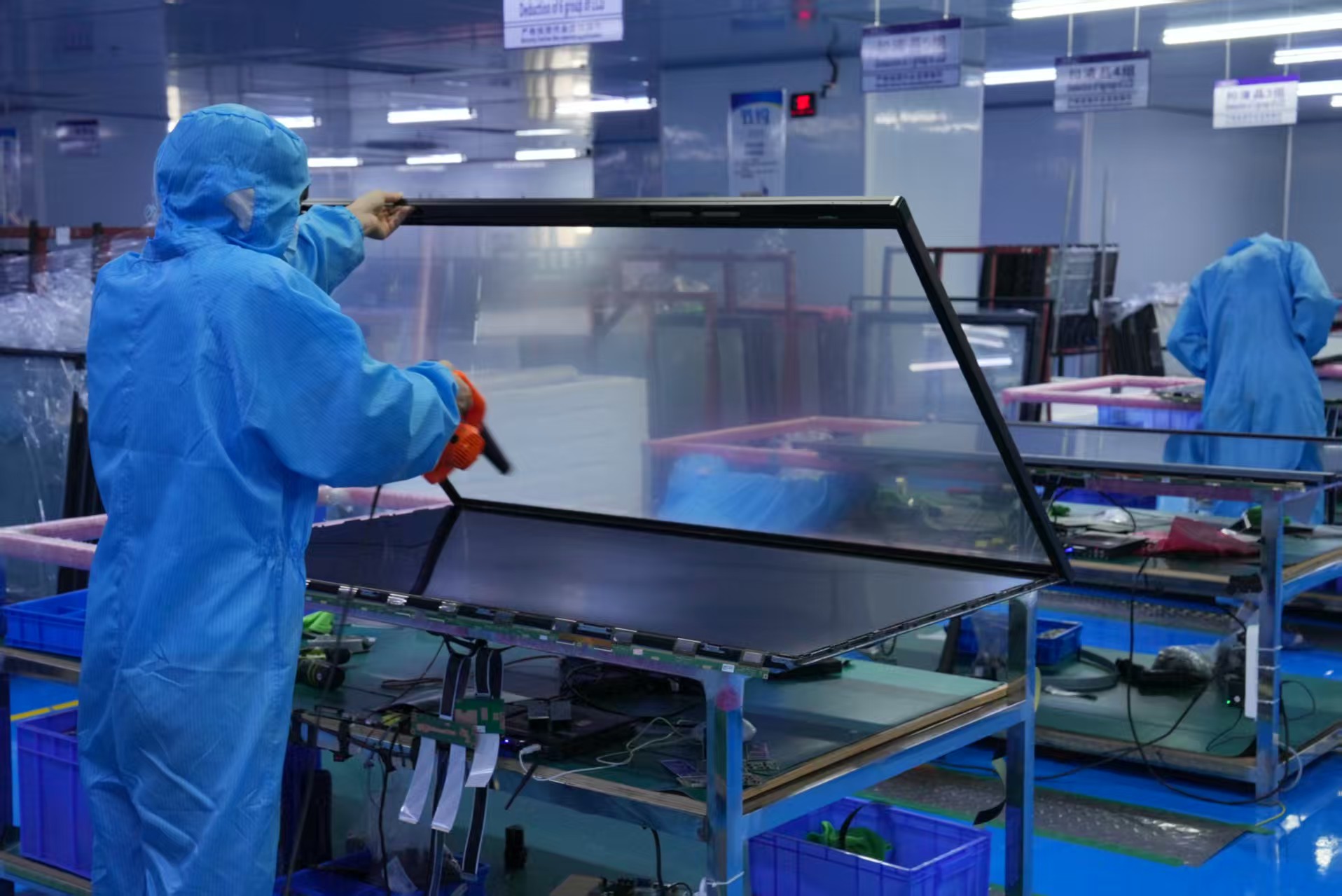
Validation should follow the parameters that carry the most project risk. GZKEDRO supports flexible minimum order quantities of 2–5 units, depending on product size, and project-based MOQ arrangements, so a physical sample can be evaluated against the site conditions before production volume is committed. Every unit passes 100% aging test and functional inspection before shipment, covering brightness testing, waterproof testing, touch testing, temperature testing, and continuous operation testing. A practical validation sequence is to check brightness against the actual ambient light at the installation point, confirm touch responsiveness across the full touch array on interactive models such as the KD-IFPD Series with its 40 multi-touch points, and verify the enclosure's ingress protection where the display will be outdoors.
5. What lead time should a commercial display project plan for, and how does a project start?
GZKEDRO production lead time runs 15–30 days, with a maximum of 30 days, against a monthly capacity of 2,000–5,000 units and global supply capability for small, medium, and large commercial display projects. Practically, the project starts with the operating condition statement: placement, ambient light, temperature and humidity extremes, operating hours, and content type. Those five inputs determine the brightness band, resolution, processor tier, and IP rating, and they allow GZKEDRO's engineering team to confirm a matching configuration and lead time before the order is placed. Buyers who want to review the full model range before specifying can download the Kedro product catalogue, or send the operating condition statement directly to gzkedro@gmail.com for a specification response.
Conclusion: Specify the Condition, Then the Parameter
Brightness, resolution, processor, memory, and IP rating are not independent quality signals. They are answers to five questions about where a commercial display will be installed and what it must do. The GZKEDRO range illustrates how clearly those answers diverge by application: 250 cd/m² and ≤55 W for an elevator car, 450 cd/m² and 1920 × 1080 for indoor commercial signage, 2,000 cd/m² with IP55 for 24/7 outdoor advertising, Intel Core i5 with 8 GB DDR3 for a public self-service terminal, and 40 multi-touch points for collaborative meeting environments.
The practical takeaway for project teams is procedural. Write the operating condition statement before the specification sheet. Derive brightness from ambient light, resolution from viewing distance, compute from workload, and IP rating from exposure. Then verify each value against a datasheet and a test record rather than against a supplier's summary. That sequence removes most of the risk from a commercial display procurement, and it makes every subsequent comparison — between models, suppliers, or configurations — a comparison of fit rather than of numbers.
Planning a Commercial Display Project?
Share your operating conditions — placement, ambient light, temperature range, operating hours, and content type — and GZKEDRO's engineering team will map them to a matched configuration. Samples are available for validation, and OEM/ODM customisation covers screen size, brightness, housing, system configuration, software, CMS, and industrial design.
Email: gzkedro@gmail.com | Tel: +86 189-2950-0788 | WhatsApp: +86 18929513439 | Website: www.gzkedro.com
Have Questions or Need More Details?
Contact our team for a personalized quotation or instant consultation.
Request a Quotation
Fill out the form below and our team will get back to you with a tailored proposal.
WhatsApp Direct Chat
Prefer to chat in real-time? Message us on WhatsApp for instant assistance & quick answers.
- Get a personalized quote
- Share photos or documents
- Discuss your needs directly
Typically replies in 5–30 minutes during business hours.