
Technical Essentials: Navigating Resolution, Brightness, and Processor Specs in Commercial Displays
A commercial display is usually shortlisted on three numbers before price, brand or warranty enters the conversation: pixel resolution, screen brightness, and the processor-and-memory package that runs the content. This guide explains what each of those specifications actually controls, where the practical thresholds sit for indoor and outdoor projects, and how two GZKEDRO product families — the KD-WM Series wall-mounted display and the KD-SSK Series self-service kiosk — turn the same headline label of “1080p commercial display” into two very different machines.
Problem Definition: Why Two “1080p Commercial Displays” Are Not Interchangeable
Two screens can both be described as 1920 × 1080, Android-based commercial displays and still be unsuitable for the same site. The reason is that resolution, brightness and processing power answer three separate questions, and a spec sheet that answers only one of them is not a specification — it is a headline.
- Resolution answers: how much detail survives at the distance people actually stand from the screen?
- Brightness answers: can the image be read against the light in the corridor, the lobby, the glass storefront or the street?
- Processor and memory answer: what can the screen run — a looping video file, or a touch-driven transaction that prints a receipt?
The gap between these questions usually appears after installation rather than on the quotation. A display specified at 250–350 cd/m² performs well in a shaded corridor and washes out behind a glass storefront. A playback device with a small memory footprint runs a scheduled playlist smoothly and stalls the moment it is asked to render a live touch interface. A screen whose operating temperature range stops at 40 °C works in an air-conditioned mall and fails in a transport hub. None of those failures appear in the headline specification; they appear in the specifications that were never read.
Reading order matters. In practice, brightness is the specification most often under-specified by buyers, because it is the one spec that the installation environment — not the buyer’s preference — ultimately defines.
Industry Background: A Larger, More Spec-Literate Display Market
Grand View Research estimated the global commercial display market at USD 53.65 billion in 2024, with digital signage accounting for over 53.73% of revenue share. In the same research stream, North America held a 35.6% revenue share of the global digital signage market in 2025, the largest regional market.
Format diversification is what makes specification comparison a routine buyer task rather than a specialist one. Fortune Business Insights projects the holographic display market to grow from USD 5.42 billion in 2026 to USD 33.36 billion by 2034 at a CAGR of 25.52%. Global Market Insights valued the transparent display market at USD 2.84 billion in 2023 and expects it to reach USD 81.5 billion by 2032, with AR integration cited as a driver. Grand View Research separately estimated the industrial display market at USD 5.90 billion in 2024, driven by IIoT and HMI device penetration.
Market Research Future identifies Samsung Electronics and LG Display as top global leaders in the commercial and large-format display market. For buyers, the practical consequence of that competitive structure is not brand selection — it is that specification language has become the common comparison layer across very different product formats, from a 21.5-inch touch kiosk to a 4 × 4 video wall.
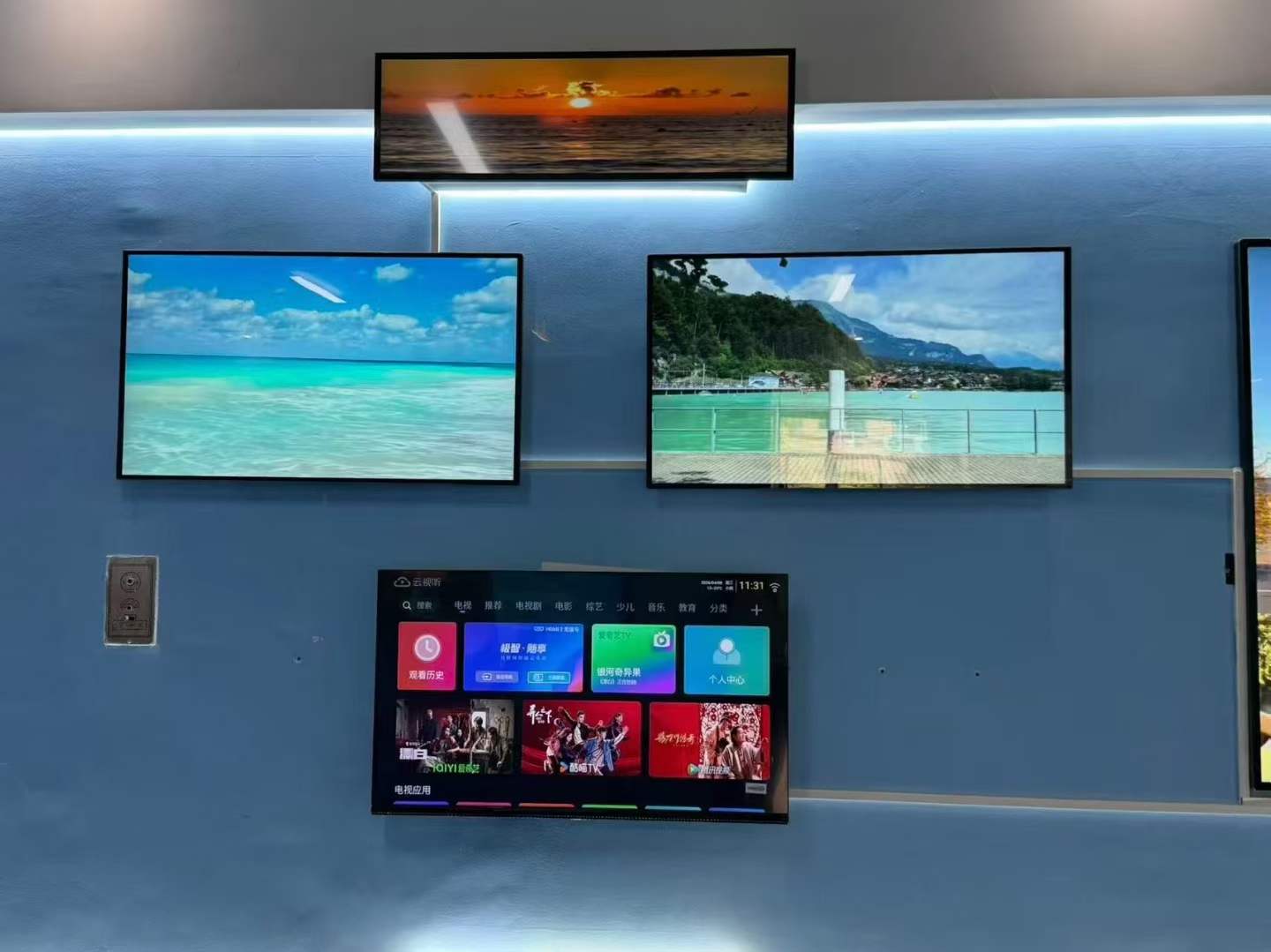
Corporate Offices — a typical indoor, wall-mounted commercial display deployment scenario.
The Three Specs That Decide Most Buying Decisions
1. Resolution: Full HD 1080p Is the Working Baseline
Full HD 1920 × 1080 remains the baseline for commercial displays because it satisfies the majority of signage viewing distances without inflating panel cost. The GZKEDRO KD-WM Series wall-mounted display ships at 1920 × 1080, using BOE LCD panels with LED direct-light backlighting, with an optional 3840 × 2160 configuration for projects that need more pixel density. It also carries a 3000:1 contrast ratio, a 1.06B (10-bit) display colour depth and a full 178°/178°/178°/178° viewing angle — the specifications that determine whether the resolution actually reaches the audience standing off-axis in a mall corridor.
That baseline is repeated across the range for a reason. KD-VW Series video wall panels run 1920 × 1080 on 55-inch screens with a 3.5 mm sealing gap. KD-TP Series transparent cabinet displays run 1920 × 1080 at a 0.9405 mm pixel pitch. The KD-AD Series advertising display delivers 1920 × 1080 across a 1427 mm × 802 mm display area in a 16:9 ratio, and the KD-EA Series elevator advertising machine holds 1920 × 1080 inside a 622.5 mm × 343 mm frame. Where the installation is portrait and street-facing, the KD-OD Series and KD-DSA Series run 1080 × 1920 at a 0.630 mm pixel pitch.
4K (3840 × 2160) enters the decision when pixel density rather than panel size becomes the constraint. The KD-DH Series holographic digital human runs 3840 × 2160 across a 1649 mm × 927 mm display area. The KD-IFPD Series smart conference display runs a 4K-30Hz frame rate, which is a reminder that resolution and frame rate are separate specifications and both have to be read before a screen is approved for video conferencing or fast-motion content.
Decision rule: 1080p covers most signage where viewers stand roughly two metres or more from the screen, or where content is dominated by video and large type. Step up to 4K when the screen itself is a focal point, when text or data is small, or when the screen will be filmed or photographed as part of the venue.
2. Brightness: The Spec That Decides Whether the Screen Is Readable
GZKEDRO’s commercial display range spans from 250 cd/m² on the KD-EA Series elevator display to a white balance brightness of ≥4500 cd/m² on the KD-LED Series outdoor LED screen. That spread exists because brightness is defined by the environment, not by preference.
- Indoor class: KD-EA Series 250 cd/m²; KD-WM Series 350 cd/m²; KD-SSK Series 350 cd/m²; KD-IFPD Series 350 cd/m²; KD-TP Series ≥380 cd/m²; KD-AD Series 450 cd/m²; KD-VW Series 500 cd/m².
- High-brightness indoor class: KD-DH Series 1300 cd/m²; KD-ISS Series 1500 cd/m².
- Direct-outdoor class: KD-OD Series 2,000 cd/m²; KD-DSA Series 2,000 cd/m².
- Outdoor LED class: KD-LED Series ≥4500 cd/m² white balance brightness, with brightness uniformity ≥97%.
Brightness is also packaged with contrast and environmental protection, and those three specifications have to be bought together. KD-VW Series runs a 4000:1 contrast ratio; KD-OD, KD-DSA, KD-TP and KD-DH Series run 3000:1. Outdoor-facing models add the hardware that makes high brightness usable rather than merely visible: the KD-OD and KD-ISS Series are rated IP55 with an industrial air-cooled heat dissipation system and tempered glass front protection. The KD-OD Series is specified for a −20 °C to 50 °C operating temperature at 10%–90% RH non-condensing, with storage from −20 °C to 60 °C — a range that a standard indoor panel cannot cover.
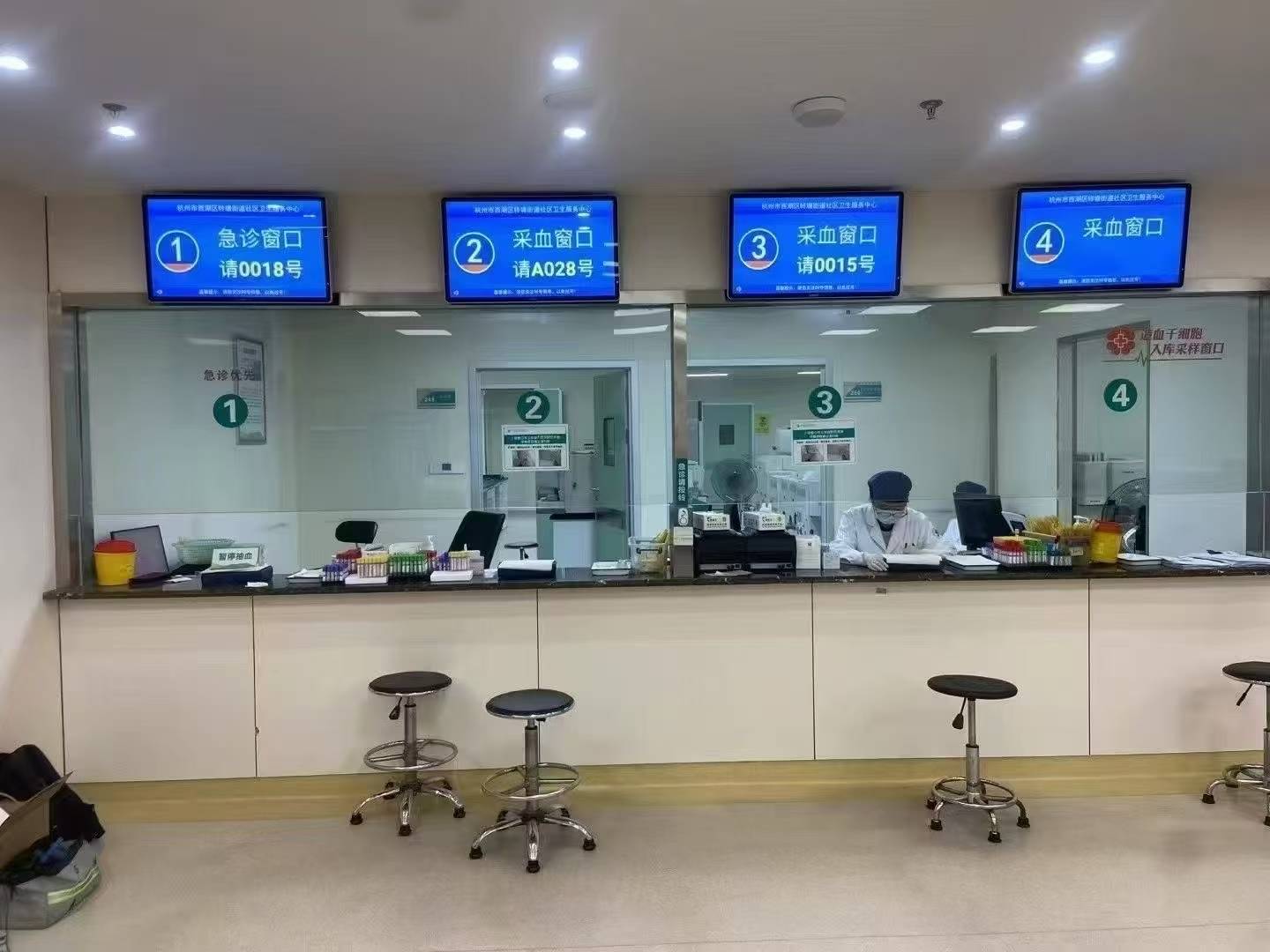
Government & Smart City Projects — outdoor and public-venue applications where brightness and IP protection decide readability.
Decision rule: match brightness to the worst lighting condition of the day, not the average. A glass storefront, an atrium or a west-facing façade can demand two to four times the brightness of a shaded indoor corridor, and once brightness rises, airflow, protection rating and power budget rise with it.
3. Processor and Memory: What Actually Runs the Screen
Two GZKEDRO series make the difference between processing platforms concrete. The KD-WM Series wall-mounted display is built around a quad-core Cortex-A7 CPU with 4 GB DDR3 RAM and 64 GB eMMC NAND flash storage, running Android 14.0 with RJ45 network support. That is an architecture sized for scheduled content playback, CMS-managed playlists, split-screen deployment and remote updates.
The KD-SSK Series self-service kiosk is built around a 10th-generation Intel Core i5 processor (4M cache, 3.90 GHz) with 8 GB DDR3 memory and a 256 GB SSD, plus WiFi, GigaLAN, 4 × USB 3.0 and HDMI. That is an x86 transaction platform: the same device pairs a 21.5-inch touch display driven by a vibration touch sensor with an E80I thermal printer, which is what a bank, hospital or government service counter actually requires.
Between those two poles sit the platforms used by most of the range:
- RK3288 quad-core Cortex-A17 at 1.8 GHz with Mali-T764 GPU, 2 GB RAM and 16 GB storage on the KD-OD, KD-DSA and KD-ISS Series.
- RK3566 motherboard with 2 GB RAM and 32 GB ROM on the KD-AD Series advertising display.
- Amlogic T982 quad-core Cortex-A5 with Android 14.0 and support for 40 multi-touch points on the KD-IFPD Series smart conference display.
- Quad-core ARM Cortex-A7 at 1.2 GHz with 1 GB DDR3 and 8 GB storage on the KD-EA Series elevator advertising machine, decoding up to 1080P@60fps.
- An x86 option on the KD-ISS Series interactive slider screen: Intel Core 5 processor, 8 GB RAM and 120 GB SSD alongside the Android configuration.
Decision rule: Android SoC platforms are the efficient choice for playback, wayfinding and CMS-managed signage, where the workload is decode-and-display. Move to an x86 platform when the display is a transaction endpoint — payments, printing, ID capture or local software with heavier memory demands. Storage sizing matters more than many buyers expect: a 16 GB ROM device holds a playlist, while a 256 GB SSD holds an application, a local database and a content library.
Step-by-Step Breakdown: How to Specify a Commercial Display Correctly
- Size resolution from viewing distance. Identify the closest realistic viewer position and the smallest content element on the screen — a price, a flight number, a menu line. If that element stays legible at the planned distance on a 1920 × 1080 layout, 4K adds cost without adding comprehension.
- Measure ambient light where the screen will stand. Note the worst condition of the day: direct sun on a façade, a bright glass atrium, or a shaded indoor corridor. This single measurement usually separates the 250–500 cd/m² indoor class from the 1,300–2,000 cd/m² direct-outdoor class.
- Define the interaction scope. Playback-only, touch browsing, or a full transaction such as printing a ticket or a receipt. The KD-SSK Series exists precisely because a kiosk with an E80I thermal printer is a different machine class from a display that only plays content.
- Size memory and storage against the software, not the video. A 2 GB RAM / 16 GB storage platform (KD-OD, KD-ISS, KD-DSA Series) is a playback profile; 4 GB RAM with 64 GB eMMC (KD-WM Series) is a playback-plus-CMS profile; 8 GB RAM with a 256 GB SSD (KD-SSK Series) is an application profile.
- Check the environmental envelope. Confirm operating temperature and humidity against the site, not the showroom: KD-WM Series is specified for −10 °C to +50 °C at 10%–98% humidity, KD-SSK Series for 0 °C to 50 °C, and KD-OD Series for −20 °C to 50 °C at 10%–90% RH non-condensing.
- Verify interfaces, power and network. The KD-OD Series provides HDMI OUT, LAN, USB, a TF card slot and a SIM card slot, with RJ45 10M/100M adaptive networking, WiFi 802.11b/g/n and Bluetooth 4.0 support, on 100–240 V AC 50/60 Hz input with ≤500 W total power and <5 W standby. The KD-SSK Series adds GigaLAN, 4 × USB 3.0 and HDMI. Match those interfaces to the site’s power and network reality before ordering.
- Validate the specification with a sample. Confirm brightness, touch response and continuous-operation behaviour on a real unit before committing to a full production batch, and confirm what the supplier’s quality control actually includes.
Use Cases: Which Spec Profile Fits Which Project
Indoor wall-mounted signage. Shopping malls, hotels, commercial districts, airports and railway stations are served by the KD-WM Series profile: 1920 × 1080 (optional 3840 × 2160), 350 cd/m², 3000:1 contrast, 178° full viewing angle, −10 °C to +50 °C operating temperature and ≤180–230 W total power. At that power level, a multi-screen lobby installation is a manageable electrical load.
Public self-service and information points. Hospitals, banks, airports, railway stations, government service centres and shopping malls need a screen that is an interface, not a poster. The KD-SSK Series profile — 21.5-inch touch screen, vibration touch sensor, Intel Core i5 with 8 GB RAM and 256 GB SSD, E80I thermal printer, 178° viewing angles and ≤220 W rated power — is built for queue management, ticketing and inquiry workflows.
Outdoor and 24/7 street-facing media. Transport hubs, commercial districts and smart city projects require the KD-OD and KD-DSA Series profile: 2,000 cd/m² brightness, IP55 protection, tempered glass, an air-cooled heat dissipation system and a −20 °C to 50 °C operating window. Where the requirement is a large-format outdoor surface rather than a panel, the KD-LED Series provides ≥4500 cd/m² white balance brightness, a 2.0 mm dot pitch and a ≥3840 Hz refresh rate for camera-facing installations.
High-visibility retail and experiential spaces. Transparent and high-brightness formats trade brightness for visual effect or reach. KD-TP Series transparent cabinet displays deliver 95% transparency, ≥380 cd/m² brightness and 3000:1 contrast in luxury retail stores, hotels and commercial districts, while KD-ISS Series interactive slider screens deliver 1500 cd/m² for exhibition centres, hotel lobbies and commercial districts.
Deployment experience in these categories is consistent: commercial display projects built around the correct brightness, resolution and processing profile have demonstrated stable 24/7 advertising operation and increased customer engagement, with installations delivered in multiple countries including Germany, the UAE, and the United States. In the KD-CASE project data, standard project duration is normally three years, extending to five years in special cases.
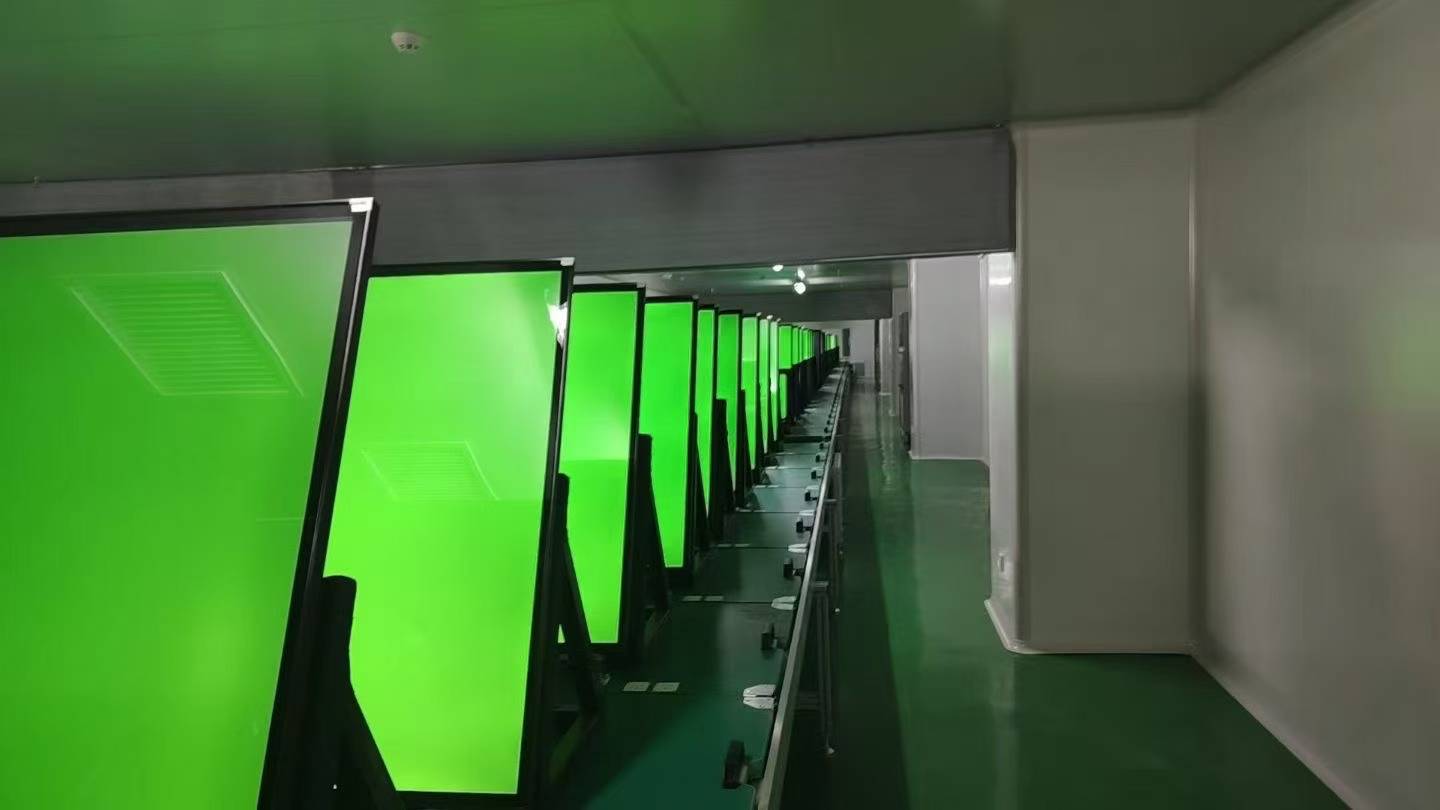
Aging Test — continuous-operation and functional inspection before shipment.
Spec Comparison: KD-WM Series vs KD-SSK Series vs KD-OD Series
| Specification | KD-WM Series (Wall Mounted Display) | KD-SSK Series (Self Service Kiosk) | KD-OD Series (Outdoor Advertising Display) |
|---|---|---|---|
| Product type | Wall-mounted advertising machine | Touch inquiry kiosk | Outdoor waterproof display |
| Resolution | 1920 × 1080 (optional 3840 × 2160) | 21.5-inch touch screen, display area 473 mm × 270 mm (panel resolution not listed in the released specification) | 1080 × 1920 (portrait) |
| Brightness | 350 cd/m² | 350 cd/m² | 2,000 cd/m² |
| Contrast ratio | 3000:1 | Not listed in the released specification | 3000:1 |
| Viewing angle | 178°/178°/178°/178° | H 178° / V 178° | 178° / 178° |
| Processor | Quad-core Cortex-A7 | Intel Core i5, 10th generation (4M, 3.90 GHz) | RK3288, quad-core Cortex-A17, 1.8 GHz |
| Memory (RAM) | 4 GB DDR3 | 8 GB DDR3 (1333/1066/1600 MHz) | 2 GB |
| Storage | 64 GB eMMC NAND | 256 GB SSD | 16 GB |
| Operating system | Android 14.0 | x86 platform (OS not listed in the released specification) | Not listed in the released specification |
| Interaction | Not listed in the released specification | Vibration touch sensor; E80I thermal printer; 2 × 5 W speakers | Not listed in the released specification |
| Environmental protection | Tempered glass; aluminum steel sheet | Tempered glass; aluminum alloy | IP55; tempered glass; air-cooled heat dissipation |
| Operating temperature | −10 °C ~ +50 °C | 0 °C ~ 50 °C | −20 °C ~ 50 °C |
| Power | ≤180–230 W | ≤220 W | ≤500 W, standby <5 W |
| Typical venues | Shopping mall, hotel, commercial district, airport, railway station | Hospital, bank, airport, railway station, government service centre, shopping mall | Transport hub, commercial district, smart city projects |
Frequently Asked Questions
Are GZKEDRO commercial displays tested against EU and US safety requirements?
IEC 62368-1 is the primary safety standard for audio/video and IT equipment and replaced the legacy IEC 60950-1 and IEC 60065 standards. GZKEDRO’s compliance file for its advertising machine platform includes an EU Low Voltage Directive verification to EN IEC 62368-1:2024/A11:2024 (certificate MK25100089P01-S01, issued 2025-11-10 by TMC Testing Services (Shenzhen) Co., Ltd.), an EMC verification to EN 55032:2015/A11:2020 and EN 55035:2017/A11:2020 under EMC Directive 2014/30/EU (MK25100089P01-E01, issued 2025-11-07), and a RoHS 2.0 verification (MK25100089P01-C01). For the United States market, an FCC SDoC under FCC Part 15, Subpart B, ANSI C63.4:2014 was issued by MAXLAB Testing Co., Ltd. (MAX26060195P01-E01, dated 2026-06-30). Production sits behind an ISO 9001:2015 quality management system certification (certificate 25020021R0S, valid to 2028-01-13), and CCC certification (2018010901114733) covers the China market.
Can resolution, brightness, and processor configuration be customized for a specific project?
Yes. Customization covers logo, colour, software, UI interface, packaging and voltage, as well as screen size, brightness, housing and system configuration, and extends to software, CMS, industrial design and hardware structure. MOQ starts from 2–5 units depending on product size, with flexible and project-based MOQ for larger rollouts. The customization work is supported by an in-house R&D team of more than 100 people, with R&D centres in Guangzhou and Shenzhen.
What drives the cost difference between spec levels in a commercial display quote?
Four technical variables move the quote more than anything else. The first is the brightness tier, because a 2,000 cd/m² outdoor panel carries a different backlight and thermal design from a 350 cd/m² indoor panel. The second is the protection package — IP55 sealing, tempered glass and an air-cooled heat dissipation system are what make the higher brightness usable outdoors. The third is the processing platform: an Android SoC configuration such as the RK3288 or RK3566 platform is a different cost structure from an x86 configuration with a 10th-generation Intel Core i5 and a 256 GB SSD. The fourth is peripheral integration, including touch sensors, thermal printers, and the audio and network hardware that ship inside a kiosk. The most reliable way to compare quotes is to compare those four columns line by line rather than comparing a single headline price.
Can I validate resolution, brightness, and processor performance before mass production?
Sample and project-based orders can be configured from 2–5 units depending on product size, which allows a real unit to be tested under real site conditions before a production batch is committed. Production-side quality control includes 100% aging test and functional inspection, together with brightness testing, waterproof testing, touch testing, temperature testing and continuous operation testing, with full quality control before shipment under industrial standard testing. In the project data, standard deployment duration is normally three years, extending to five years in special cases.
What is the lead time, and how does a project start?
Lead time runs 15–30 days, with a maximum of 30 days, against a monthly capacity of 2,000–5,000 units for large-scale production support. After shipment, support includes remote technical support, online technical guidance, 24/7 technical assistance and professional engineering support. The practical next step is to send the project conditions — screen size, viewing distance, ambient light level, and whether the screen is a playback device or a transaction endpoint — so the specification can be matched to a configuration and, if useful, a sample.
Conclusion: Read the Three Specs in Order
Resolution, brightness and processing power are not marketing fields — they are the three variables that decide whether a commercial display does the job it was bought for. Resolution sets how much detail survives at the viewing distance. Brightness sets whether the image is readable in the light the site actually has. The processor, memory and storage set what the screen can run without stalling, from a looping playlist on a quad-core Cortex-A7 platform to a printed receipt on a 10th-generation Intel Core i5 kiosk.
Read in that order, the specification conversation becomes short and comparable: 1920 × 1080 as the baseline with a 4K option where density matters, 350–500 cd/m² for indoor venues and 1,300–2,000 cd/m² with IP55 protection for outdoor and street-facing deployments, and a processing platform sized to the workload rather than to the showroom demo. Everything else — housing, interface count, power budget, temperature range — is confirmed against the site after those three decisions are made.
Next Step: Validate the Specifications Before You Commit
GZKEDRO (Guangzhou Kedro Electronics Technology Co., Ltd.) manufactures commercial displays, digital signage and interactive devices, founded in 2013 with R&D centres in Guangzhou and Shenzhen, more than 200 employees, a 100+ person R&D team and an 80% export ratio across global markets.
Send your project conditions — screen size, viewing distance, ambient light level, and whether the unit is a playback or transaction device — and the team will map them to a configuration. Sample orders start from 2–5 units depending on product size.
Download the full product catalogue: Kedro Product Catalog (English Edition)
Email: gzkedro@gmail.com | Tel: +86 189-2950-0788 | WhatsApp: Mike +8618929513439, Luna +8618925015694, Lisa +86 18929500788 | Website: www.gzkedro.com
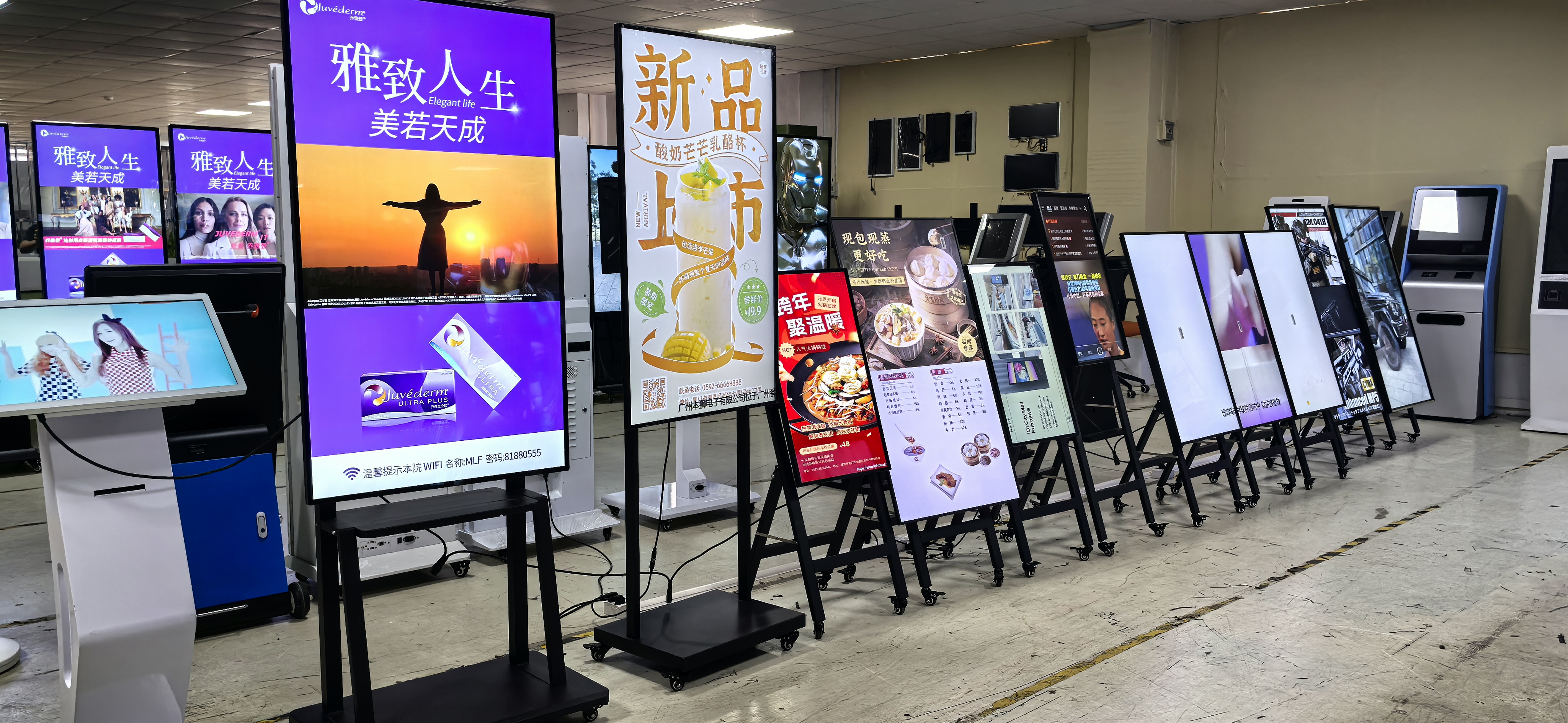
Product Showcase & Branding — GZKEDRO commercial display range available for sample and project specification.
Have Questions or Need More Details?
Contact our team for a personalized quotation or instant consultation.
Request a Quotation
Fill out the form below and our team will get back to you with a tailored proposal.
WhatsApp Direct Chat
Prefer to chat in real-time? Message us on WhatsApp for instant assistance & quick answers.
- Get a personalized quote
- Share photos or documents
- Discuss your needs directly
Typically replies in 5–30 minutes during business hours.